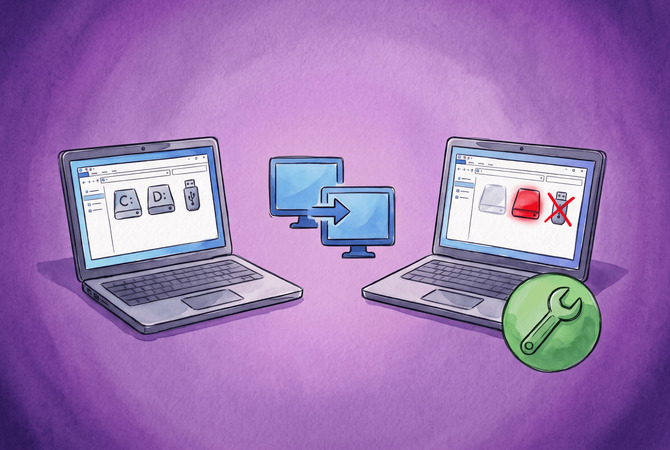
A red ?thinclient_drives entry or the error ls: cannot access 'thinclient_drives': Transport endpoint is not connected means the FUSE mount that xrdp builds for drive redirection has died. An empty or absent thinclient_drives folder is a separate problem.
The mount belongs to xrdp-chansrv, a per-session process that does not restart itself. A crash, or a previous session that never released the folder, leaves a dead mount behind, and file managers such as Midnight Commander draw it in red, as users describe in xrdp issue 761 and Debian bug 831873. An empty or absent folder means no drive reached it: the client never offered one, the server blocks the drive channel, FUSE could not mount, or the build lacks FUSE support, as on Ubuntu 26.04.
For a dead or red mount, run fusermount -u ~/thinclient_drives, then log out of the desktop completely and log back in, since a plain disconnect rejoins the broken session. The fixes below follow the order in which they solve the most cases. Start at the top and work down.
If you’d rather not deal with drive redirection, HelpWire is remote access software for IT teams and technicians who support Windows, macOS, and Linux computers. It moves files through its own remote session, so no FUSE mount on the Linux side takes part. That suits this case, because a dead xrdp-chansrv process or a stale thinclient_drives folder has no effect on the transfer. When you need one file on a Linux machine today, and the redirected drive is still broken, it gets the file there before any repair.
How to fix thinclient_drives when it is empty, red, or disconnected
Release the dead mount and start a fresh session for a red or disconnected folder, and turn on drive redirection in the client for an empty one. The table below maps each specific error to the fix that clears it, and the fixes follow in order of how often they solve the problem.
Match your thinclient_drives Linux error to a fix
Find the exact string you see in the left column, then jump to the fix on the right. Most thinclient_drives Linux failures leave a trace in the file manager, the chansrv log, or the system journal, so check each of them before you pick a fix.
| Error or symptom | Where it appears | Fix to apply |
d????????? ? ? ? ? ? thinclient_drives |
Output of ls -l ~ in a terminal |
Unmount the dead mount and sign in again |
Error when getting information for file "/home/username/thinclient_drives": Transport endpoint is not connected. |
Thunar on Xfce, when it opens your home folder | Unmount the dead mount and sign in again |
FUSE mount on /home/alice/thinclient_drives failed. If /home/alice/thinclient_drives is already mounted, you must first unmount it. |
The chansrv log |
Prevent the red entry at the next login, or install fuse3 on RHEL 9 clones |
fuse: failed to exec fusermount3: No such file or directory |
journalctl on RHEL 9, Rocky Linux 9, and AlmaLinux 9 |
Install fuse3 |
fuse: device not found, try 'modprobe fuse' first |
The journal inside an LXC or Proxmox container | Enable FUSE for the container, covered in the fuse3 fix |
| Empty folder, no error anywhere | Any file manager | Share a drive in your RDP client, then check the rdpdr channel |
The question-mark output matches the one Catch22cats describes, the Thunar string comes from Xfce bug 15029, the chansrv log line from issue 3443, the journal line from Red Hat Bugzilla 2350108, and the container error from the Proxmox forum.
Unmount the dead mount and sign in again
A forced unmount plus a fresh login clears the Transport endpoint is not connected error and the red entry in most cases. An xrdp maintainer gives this as the short-term recovery in issue 2101. I start every xrdp drive problem here, because it takes under a minute and rules out the most frequent cause.
-
Open a terminal inside the xrdp session and release the mount. If the shell answers
fusermount: command not found, usefusermount3, which FUSE3installs:fusermount -u ~/thinclient_drives -
If
fusermountfails withDevice or resource busy, force the unmount with root rights. Several users in issue 218 confirm that this variant cleared the error for them:sudo umount -f ~/thinclient_drives -
Log out of the Linux desktop. In a GNOME session, run the first command, and in Xfce, the second. A closed RDP window does not count as a logout:
gnome-session-quit --logout --no-promptxfce4-session-logout --logout -
Reconnect with your RDP client. A new session starts, and
xrdp-chansrvmounts thinclient_drives again.
If the desktop refuses to log out, reboot the Linux machine.
Restart xrdp-chansrv without a logout
The xrdp project documents a restart of xrdp-chansrv inside a live session, which restores drives while your apps stay open. The steps come from the xrdp-chansrv page of the project wiki, with the kill step and the emphasis on reconnecting from a LikeT.Dev write-up. The same process carries the clipboard, so this also revives a dead copy-and-paste, which our guide on Remote Desktop copy-paste problems covers in more depth.
-
Check for the process:
ps -C xrdp-chansrv -
If the output lists a PID, stop it:
pkill xrdp-chansrv -
Release the mount:
fusermount -u ~/thinclient_drives -
Start a fresh instance from the same terminal. The output prints the active configuration, with
FuseMountName: thinclient_drivesamong the values, and the path of the log file:xrdp-chansrv -
Disconnect the RDP session and reconnect. The new connection attaches to the fresh process, and without this step the drives stay dead.
The wiki page targets xrdp 0.10.x. Ubuntu 22.04 and 24.04 ship 0.9.x packages, so on those releases fall back to the first fix if this one does not bring the folder back.
Prevent the red ?thinclient_drives entry at the next login
Unmount the folder at the end of every xrdp session, so the next login never finds a stale mount. Users in issue 761, where drive redirection worked on the first connection and turned the folder into a red ?thinclient_drives on the second, fixed it with a fusermount -u line at the end of the script that starts the desktop. The xrdp wiki page on user logout scripts shows the clean way to do that: copy /etc/xrdp/startwm.sh, change its last two lines so control returns when the desktop exits, and point xrdp-sesman at the copy, which leaves the packaged script untouched.
-
Copy the script with its permissions:
sudo cp -p /etc/xrdp/startwm.sh /etc/xrdp/startwm_and_logout.sh -
Open the copy in an editor:
sudo nano /etc/xrdp/startwm_and_logout.sh -
Find the last two lines. On Debian and Ubuntu, they come from a Debian package commit and read:
test -x /etc/X11/Xsession && exec /etc/X11/Xsessionexec /bin/sh /etc/X11/Xsession -
Replace both lines with this block, which starts the desktop the same way, waits for it to exit, and then releases the mount:
if test -x /etc/X11/Xsessionthen/etc/X11/Xsessionelse/bin/sh /etc/X11/Xsessionfifusermount -u "$HOME/thinclient_drives" -
Save with Ctrl+O, exit with Ctrl+X, then open
/etc/xrdp/sesman.iniand set this value under[Globals]:DefaultWindowManager=startwm_and_logout.sh -
Restart
xrdp-sesman, then log out and back in:sudo systemctl restart xrdp-sesman
If you renamed the mount point with FuseMountName, put that path in the fusermount line instead.
Share a drive in your RDP client
Enable drive redirection in your RDP client and reconnect, because an empty thinclient_drives folder with no errors has two possible causes, and the client side is the quicker one to rule out. If the client already shares a drive, the server blocks the drive channel instead, which the next fix covers. The folder exists either way, a point c-nergy.be makes clearly: Nautilus still lists it even with redirection turned off on the server. Each client keeps the option in a different place.
| Client | Where to enable drive redirection |
Remote Desktop Connection (mstsc) on Windows |
Show Options > Local Resources > More > Drives, then tick each drive to share, plus the entry for drives connected later, which the xrdp wiki names Drives that I plug in later, for USB sticks |
| Remmina | The Share folder option of the RDP connection profile, set to a local folder |
| xfreerdp or xfreerdp3 | Add /drive:home,/home/alice to the command line, with your own name and path |
The mstsc path matches the answer in a Microsoft Q&A thread about an empty tsclient folder, which is the same problem seen from the Windows side. The Remmina option is described in a Portland State University guide, and the hot-plug behavior is documented on the xrdp wiki page on drive redirection features.
-
Close the current RDP connection.
-
Enable drive redirection in your client as the table shows.
-
Reconnect, then open thinclient_drives. Each shared drive appears as its own subfolder.
Check the rdpdr channel in xrdp.ini
If the client shares a drive and the folder stays empty, check that /etc/xrdp/xrdp.ini does not block the drive channel. Hardened setups set rdpdr=false in the [Channels] section, the switch c-nergy.be uses to turn drive redirection off. An older tip from Catch22cats sets allow_channels=false, which blocks the clipboard as well.
-
Print the relevant lines:
grep -nE 'allow_channels|rdpdr' /etc/xrdp/xrdp.ini -
Confirm the output shows
allow_channels=trueandrdpdr=true. If either readsfalse, correct it in an editor:sudo nano /etc/xrdp/xrdp.ini -
Restart the service:
sudo systemctl restart xrdp -
Log out of the Linux session and reconnect.
Linux thinclient_drives on RHEL 9 and Rocky Linux 9: Install fuse3
Install fuse3, because early EPEL builds of xrdp 0.10.2 rely on the fusermount3 helper, which libfuse calls, but did not declare the package as a dependency. A Rocky Linux 9.5 user traced this in issue 3443, and the xrdp maintainer confirmed the gap in Red Hat Bugzilla 2350108. The chansrv log blames a stale mount here, which sends people to the wrong fix, so a Linux thinclient_drives failure on these systems calls for a look at the journal first. The maintainer named 0.10.2-11 as the build with the fix in the same issue. The EPEL 9 package page now lists 0.10.6.1-3.el9, so update xrdp as well.
-
Search the journal for the
fusermount3line from the table:journalctl -b | grep fusermount3 -
If it appears, install the package:
sudo dnf install fuse3 -
Update xrdp so the corrected dependency stays in place:
sudo dnf upgrade xrdp -
Log out and reconnect.
Skip the setcap CAP_SYS_ADMIN+ep /usr/sbin/xrdp-chansrv workaround from the same thread. It hands the channel process admin-level capability to cover for an absent package. Inside an LXC container, the device error from the table has a different cause: the container has no access to FUSE. In the Proxmox forum thread on this error, the fix was to enable FUSE under the container’s Options > Features, and the user who suggested it reported that this option alone was all his own container FUSE mounts needed. The manual mknod -m 666 /dev/fuse c 10 229 command from the original post is a one-time workaround that does not survive a container restart.
Ubuntu thinclient_drives on 22.04, 24.04, and 26.04
Drive redirection works out of the box only on Ubuntu 22.04 and 24.04, and the package table below shows why 26.04 differs.
| Ubuntu release | Current xrdp package | FUSE library dependency |
22.04 LTS (Jammy) |
0.9.17-2ubuntu3.1 |
libfuse2 |
24.04 LTS (Noble) |
0.9.24-4ubuntu0.1 |
libfuse2t64 |
26.04 LTS (Resolute) |
0.10.1-4.1ubuntu0.1 |
None, FUSE support disabled at build time |
Current versions in the updates pocket come from the UbuntuUpdates archive tracker, and the FUSE dependencies come from the Ubuntu package pages for Jammy, Noble, and Resolute. The Debian changelog entry for 0.10.1-4, which Ubuntu 26.04 inherits, reads “disable fuse” and closes a Debian bug that asked xrdp to move from libfuse2 to libfuse3 or drop its FUSE features, as the Launchpad changelog shows. The current 26.04 update only fixes snakeoil certificate links and leaves FUSE disabled, as its changelog shows.
Hide the thinclient_drives Ubuntu dock icon
If thinclient_drives shows up as a drive icon in Ubuntu Dock, turn off mount icons with one gsettings command. Ubuntu Dock is built on Dash to Dock, and as OMG! Ubuntu notes, the switch hides every mount at once, so the thinclient_drives Ubuntu entry disappears together with USB sticks and other volumes.
-
Hide mount icons:
gsettings set org.gnome.shell.extensions.dash-to-dock show-mounts false -
To bring them back later:
gsettings set org.gnome.shell.extensions.dash-to-dock show-mounts true
The same switch sits in the graphical settings on Ubuntu 24.04: open Settings > Ubuntu Desktop and turn off Show Volumes and Devices, as the same OMG! Ubuntu guide shows.
What is thinclient_drives
The thinclient_drives folder is the mount point where xrdp places the drives your RDP client shares, created in your home directory at login by xrdp-chansrv. The answer to what is thinclient_drives has nothing to do with thin client hardware: the folder belongs to xrdp and its chansrv process.
How it works
xrdp-chansrv starts after login as part of each xrdp session and handles drive redirection, copy and paste, and some Unicode input, per the xrdp wiki. At start, it reads FuseMountName from the [Chansrv] section of /etc/xrdp/sesman.ini, creates the folder if it does not exist, and mounts a FUSE file system there.
Every drive the client offers becomes a subfolder, and every file operation inside travels over the RDP connection to the client. File access through the mount works only while the chansrv process behind it runs. A hidden .clipboard folder inside holds files during file copy and paste, as xrdp author Jay Sorg explained in issue 218.
Limits of xrdp thinclient_drives redirection
Drive redirection through xrdp thinclient_drives has hard limits that no config value removes, and they explain why some failures return after a fix.
Limitations
Only the account that mounted the folder can read it. When a user in issue 761 ran into trouble after a switch to root, an xrdp maintainer replied that the mount point is available only to the user who mounted it, which is normal FUSE behavior.
A crash of xrdp-chansrv normally means a defect in the program itself, and the project asks users to report every failure, per the xrdp wiki.
The folder appears even when no drive is redirected. Jay Sorg called that a bug in issue 218, and c-nergy.be saw the same behavior years later. If these limits rule out xrdp for file exchange, our guide on file transfer to a remote desktop when paste fails covers other routes.
Comparison
xrdp drive redirection and HelpWire file transfer move files by different mechanisms, which changes what can break.
| Aspect | xrdp drive redirection | HelpWire file transfer |
| Mechanism | Client drive shared over the RDP drive channel and browsed as a local folder | Copy on one side, paste into the remote session window |
| Network path | RDP client to TCP port 3389 on the Linux host |
No additional firewall port forwarding |
| Apps involved | Any RDP client on your side | HelpWire Client on the remote computer, HelpWire Operator on yours |
| Wayland desktops | Not involved. xrdp starts its own X11 session. | The Linux side must allow remote interaction and clipboard access, or file exchange stays off |
| Drag and drop | Within the session file manager, between thinclient_drives subfolders and local folders | From a Windows or macOS operator computer only |
| Linux support | Any distribution with an xrdp build that has FUSE support, which excludes the stock Ubuntu 26.04 package |
HelpWire Client on Ubuntu 18.04 to 24.04, CentOS 8 and 9, and Fedora 41. HelpWire Operator on Ubuntu 18.04 to 24.04, Debian 11 and 12, CentOS 9, RHEL 9, and Fedora 39 and later |
The HelpWire cells draw on the knowledge base pages for file transfer and supported operating systems for the Operator and Client apps and on the HelpWire Linux page, and the xrdp port comes from the xrdp README. For other OS pairs, our cross-platform file transfer guide compares the options, and our Linux remote desktop guide covers the setup side.
FAQ
Yes, once nothing is mounted on it, and only with rmdir. While the mount is live, the contents of the folder are the client’s own drives, so a recursive delete such as rm -rf ~/thinclient_drives erases files on the client computer. rmdir refuses to remove a folder that is not empty, which makes it the safe choice.
Run findmnt ~/thinclient_drives or mount | grep thinclient_drives. A live mount prints a line with the type fuse.xrdp-chansrv, as in the output posted to Debian bug 831873. No output means nothing is mounted, and the folder is a plain empty directory.
The file is read-only on the Windows client, and Windows refuses to delete read-only files even when the Linux side grants write access to the folder. The xrdp wiki page on drive redirection features shows the workaround: clear the read-only bit with chmod u+w on the file, or chmod -R u+w on a folder, and delete it again. The same page notes that names Windows reserves, such as nul or a bare :, fail with Input/output error.
No. The Remote Desktop panel in Ubuntu Settings, under Sharing on 22.04 and under System on 24.04 and later, per the Ubuntu documentation, runs gnome-remote-desktop, a separate RDP server named in the Ubuntu desktop team test plan. The folder comes only from the chansrv component of xrdp. If the folder appears on a machine that uses the built-in server, xrdp is installed as well, and one of its sessions created it.